Preview Target Furniture in Your Room
Target's home brands are affordable and stylish. Save a product image from target.com, upload it with your room photo, and see how it fits before your next Target run.
One-time plans from $15
See How It Works
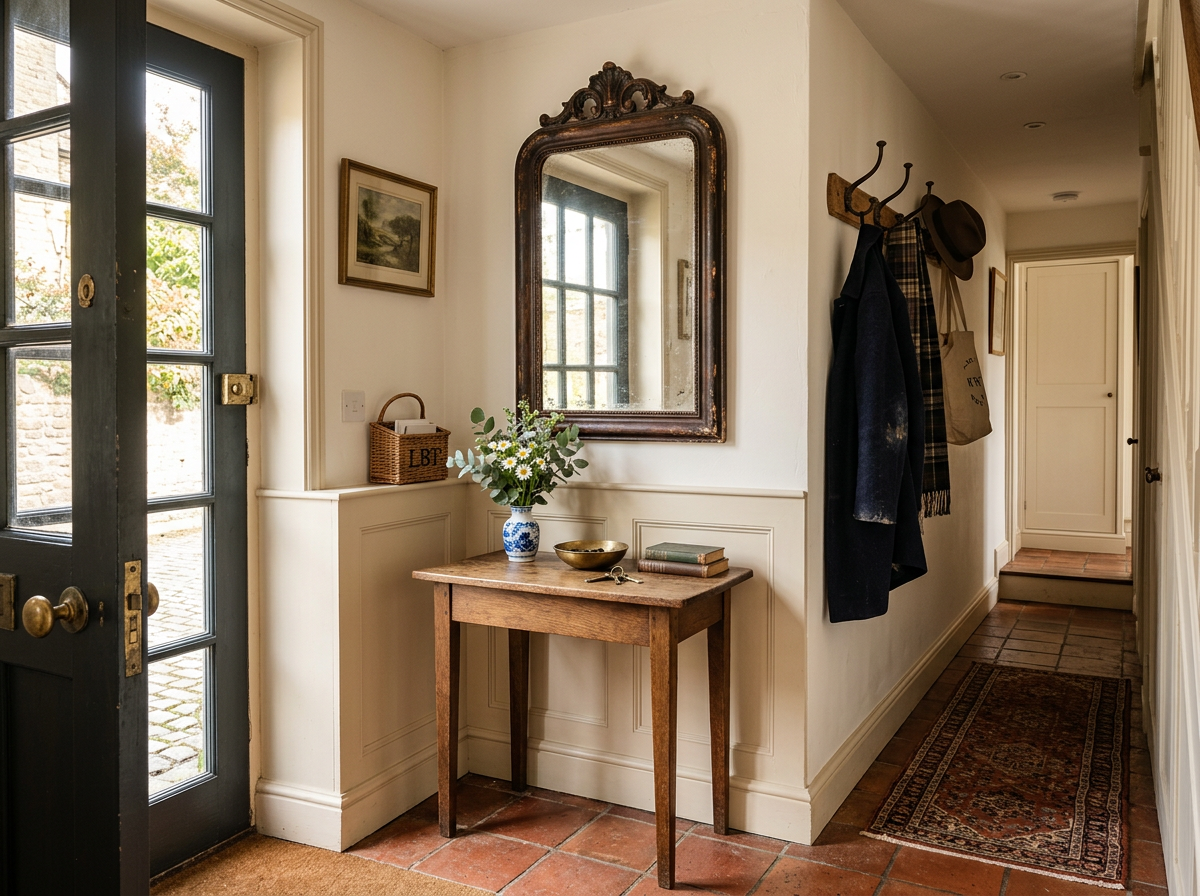
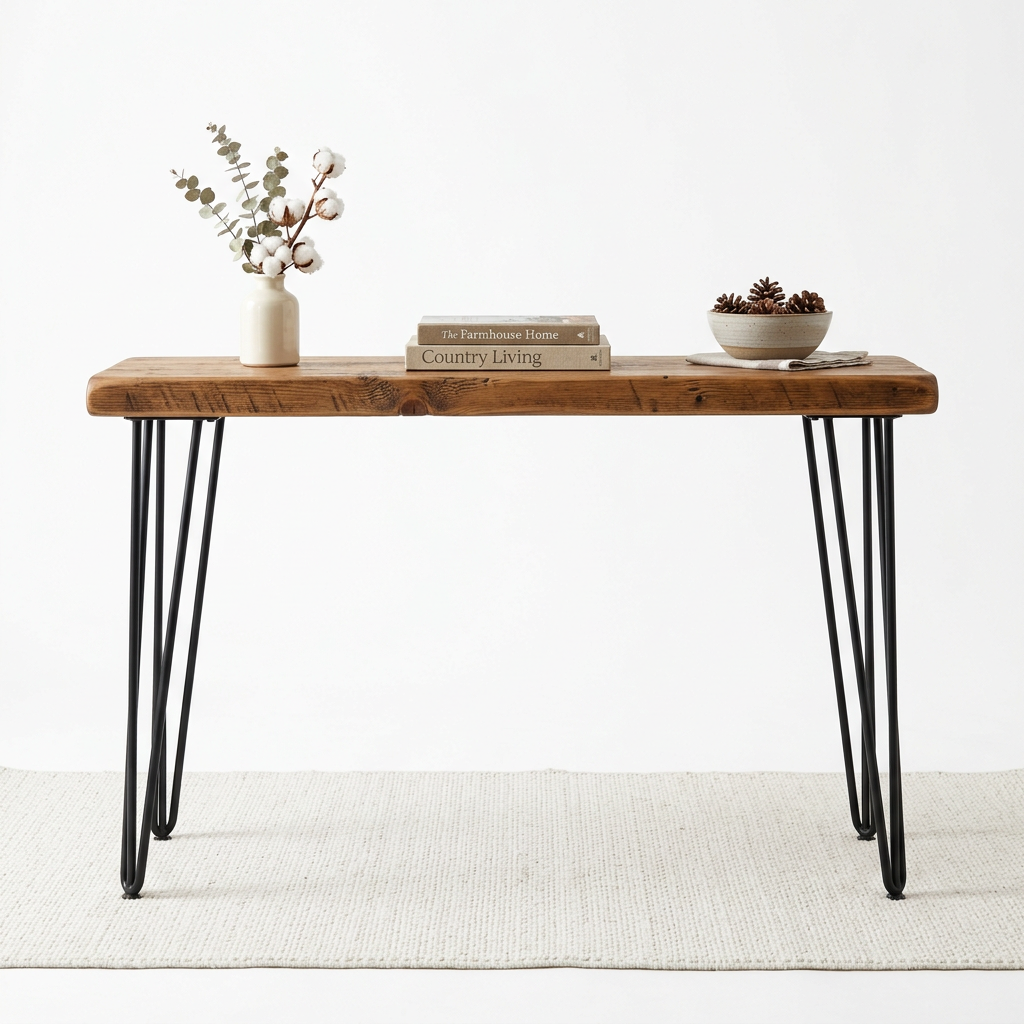
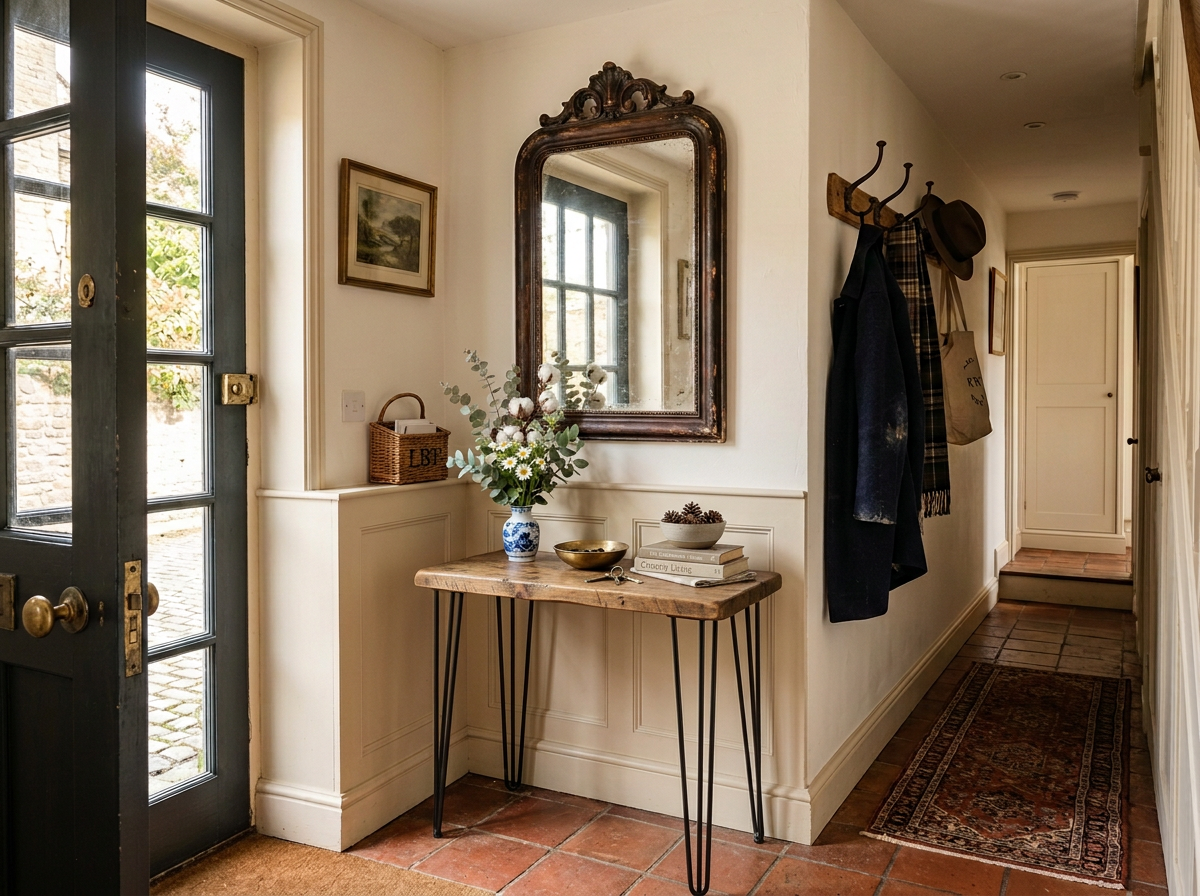
Store Aisles Can't Show Your Room
Target's furniture section gives you a quick look, but those store displays don't reflect your home's lighting, walls, or layout. Save the product photo from target.com, upload it alongside your room photo, and see how the piece actually looks in your space before you buy.
How It Works
Upload Your Room Photo
Take a photo of any room and upload it to RoomLab.
Add a Product Reference Image
Save a product photo from the brand's website — this is the piece you want in your room.
See It in Your Space
RoomLab's AI replaces the furniture in your room with the piece from your reference image.
Target's home furniture brands offer stylish designs at accessible prices. Their curated lines include Threshold (classic), Hearth & Hand with Magnolia (farmhouse), Project 62 (mid-century), and Opalhouse (eclectic).
Popular Products to Visualize
Why Visualize Before You Buy
Target furniture is budget-friendly, but returns are still a hassle — especially for bulky items. Save the product image, upload it with your room photo, and see how it fits. A quick visualization can save you a trip back to the store.
Frequently Asked Questions
Can I visualize furniture from Hearth & Hand or Studio McGee collections?
Is this useful for Target seasonal decor?
How does this help with Target's designer collaborations?
Can I compare Target brands like Threshold vs. Project 62?
Professional Results. Fraction of the Cost.
Get photorealistic interior renders in seconds, not days. Professional-grade AI visualization with full creative control — no design skills needed.
No credit card required