Watch an empty room become a home.
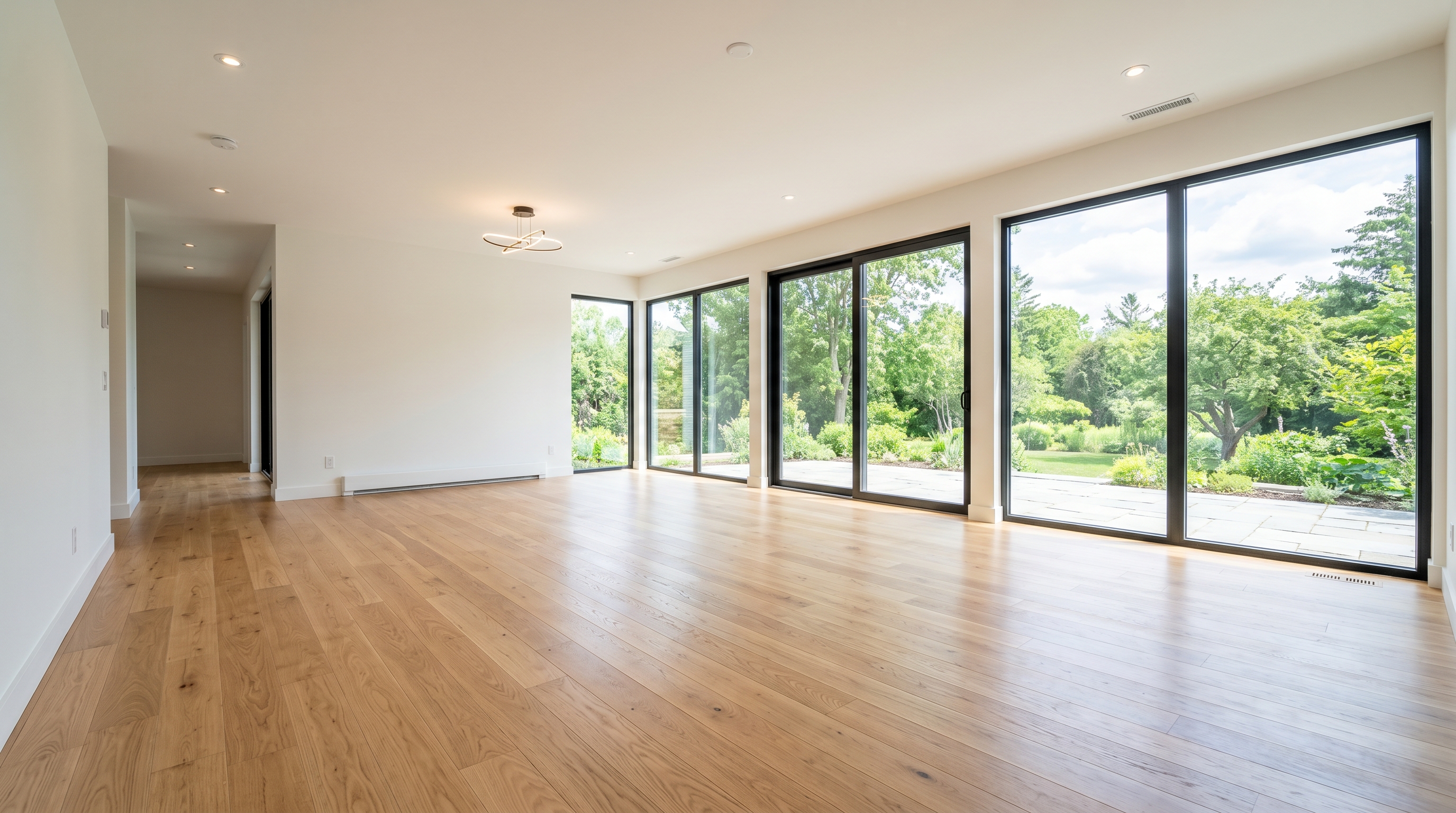
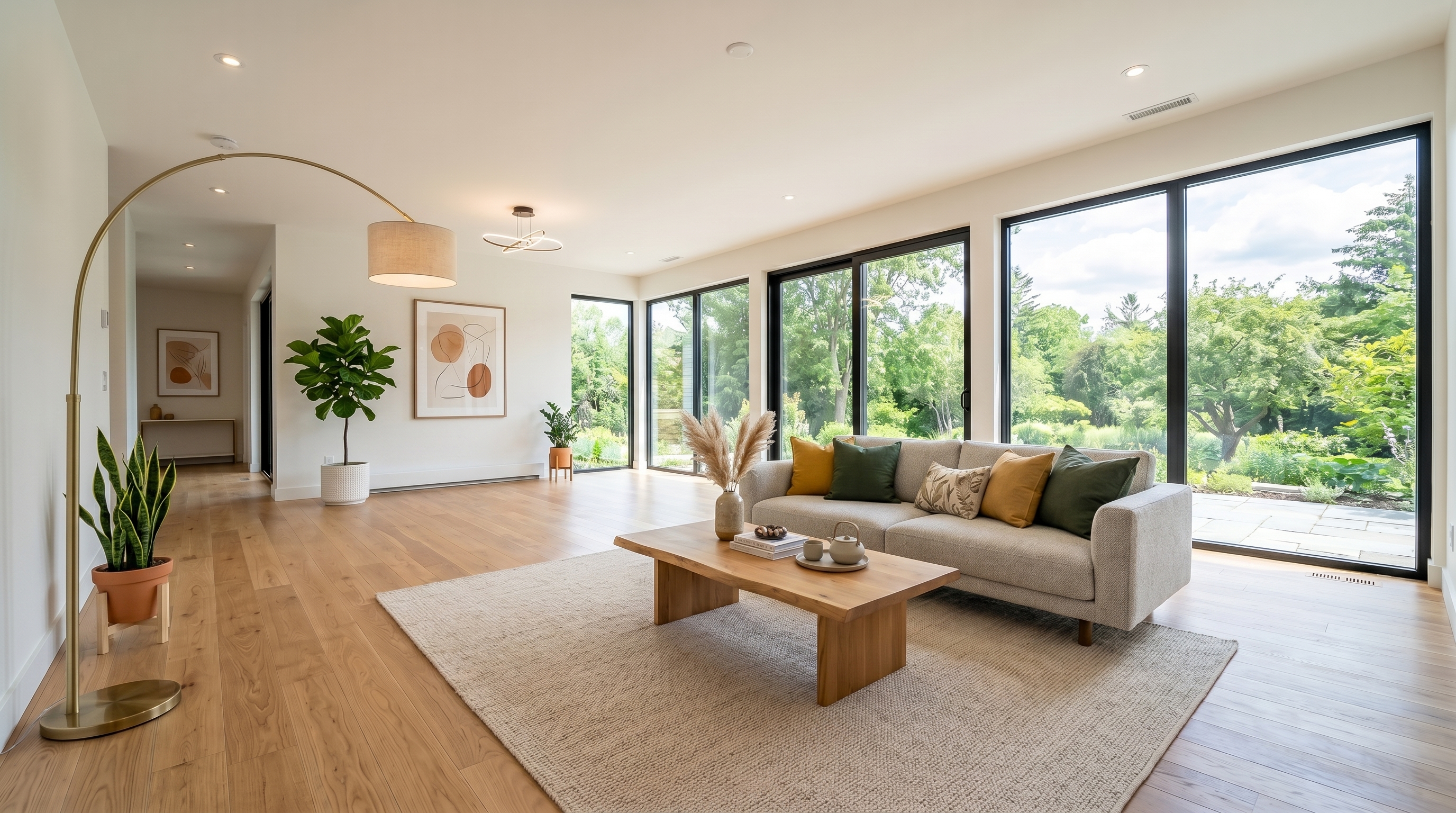
Give RoomLab.app a starting frame and a final frame. It animates the space in between — furniture assembling, falling into place, or a full timelapse.
The idea
Two frames. One cinematic transition.
You set where the room begins and where it ends. RoomLab.app fills in the motion.
Endless motions
Any motion you can describe
These are just a few examples — describe any transition for any room, in any language, and RoomLab.app animates it from your start and end frames.
Furniture assembles
Pieces materialize and settle into place with smooth motion.
Furniture falls
Sofas, tables and decor drop in from above and land perfectly.
Timelapse
People walk in and stage the room, fast-forward style.
Custom
Write your own motion. We translate and adapt it for you.
Every kind of space
One trick. Every room in the house.
Bedrooms, kitchens, offices, dining rooms — if you can photograph it empty, you can watch it fill.
Upload your start frame
Snap or upload the room as it is now — empty, bare, mid-renovation.
Set the end frame
Use a furnished photo, or generate the finished room right inside RoomLab.app.
Pick a transition
Pick an example motion or describe your own, then render the video.
Video Transitions — Frequently Asked Questions
How do I make a before and after video from two photos?
Upload a start frame and an end frame to RoomLab.app — for example the empty room and the staged version — and the AI generates the video in between: furniture assembles itself and the space transforms on camera. You get a cinematic before/after clip in seconds, no editing software needed.
What can I show with a transition video?
The classics are virtual staging (empty room becomes a furnished home), renovations (old kitchen morphs into the new design), decluttering (messy to tidy) and style changes. Any pair of images of the same room can become a transformation video.
Do the two photos need to match?
The closer the camera angle, the smoother the transition. Here's the trick: RoomLab.app's image modes keep the exact camera position when they stage, declutter or restyle a photo — so any before/after pair you generate in RoomLab.app is perfectly aligned for a transition video.
How long are the videos?
Clips are 5 or 10 seconds — ideal for Instagram Reels, TikTok and listing pages, where the before/after reveal format consistently outperforms static photos.
Is it free to try?
Yes — every new RoomLab.app account includes a free 5-second video and a free image generation, no credit card required. 10-second videos are available on paid plans.
Explore More Features
Discover what else you can achieve with RoomLab
Replace Furniture
Swap furniture pieces in photos to visualize options before purchase.
Replace Materials
Swap flooring, countertops, walls, and other surfaces to compare options.
Paint Color Visualizer
Preview any wall paint color on any room — pick your own or use our curated presets.
Custom Prompt
Describe any transformation in natural language for unique results.
Virtual Staging
Add furniture and decor to empty rooms for listing-ready property photos.
Declutter Rooms
Remove mess and personal items while keeping the furniture intact.
Remove Furniture
Empty any room photo to show the bare space and its potential.
Change Style
Restyle existing rooms while preserving layout and structure.
3D to Photorealistic
Convert 3D models and renders into stunning photorealistic images.
Video Generation
Create walkthroughs, before-and-after transitions, and multi-room house tours from property photos.
Photo Enhancement
Blue skies, green grass, clean pools — one-click fixes for listing photos.
Pay only for the images you want to generate
All users get all features.
One-Time
Personal
One-time purchase, no subscription
15 Images or 3 videos
150 Credits
One-time payment · no subscription
Subscriptions
Pro
For personal projects
40 Images or 8 videos
400 Credits
Cancel anytime · keep your credits
Ultra
Best for professionals
110 Images or 22 videos
1,100 Credits
Cancel anytime · keep your credits
Premium
For agencies and power users
300 Images or 60 videos
3,000 Credits
Cancel anytime · keep your credits
Have any question?
How much does each generation cost?
How long does it take to generate an image?
What happens if I run out of credits mid-month?
What are credits?
Do credits expire?
Can I upgrade my plan?
How long are my images stored?
Can I get a refund?
Can I get a receipt or invoice?
What are input photos?
What happens to my personal photos?
What happens if I cancel my subscription?
Professional Results. Fraction of the Cost.
Get photorealistic interior renders in seconds, not days. Professional-grade AI visualization with full creative control — no design skills needed.
No credit card required