Preview Pottery Barn Furniture in Your Home
See how Pottery Barn's classic designs complement your room. Save a product image from potterybarn.com, upload it with your room photo, and visualize before ordering.
One-time plans from $15
See How It Works
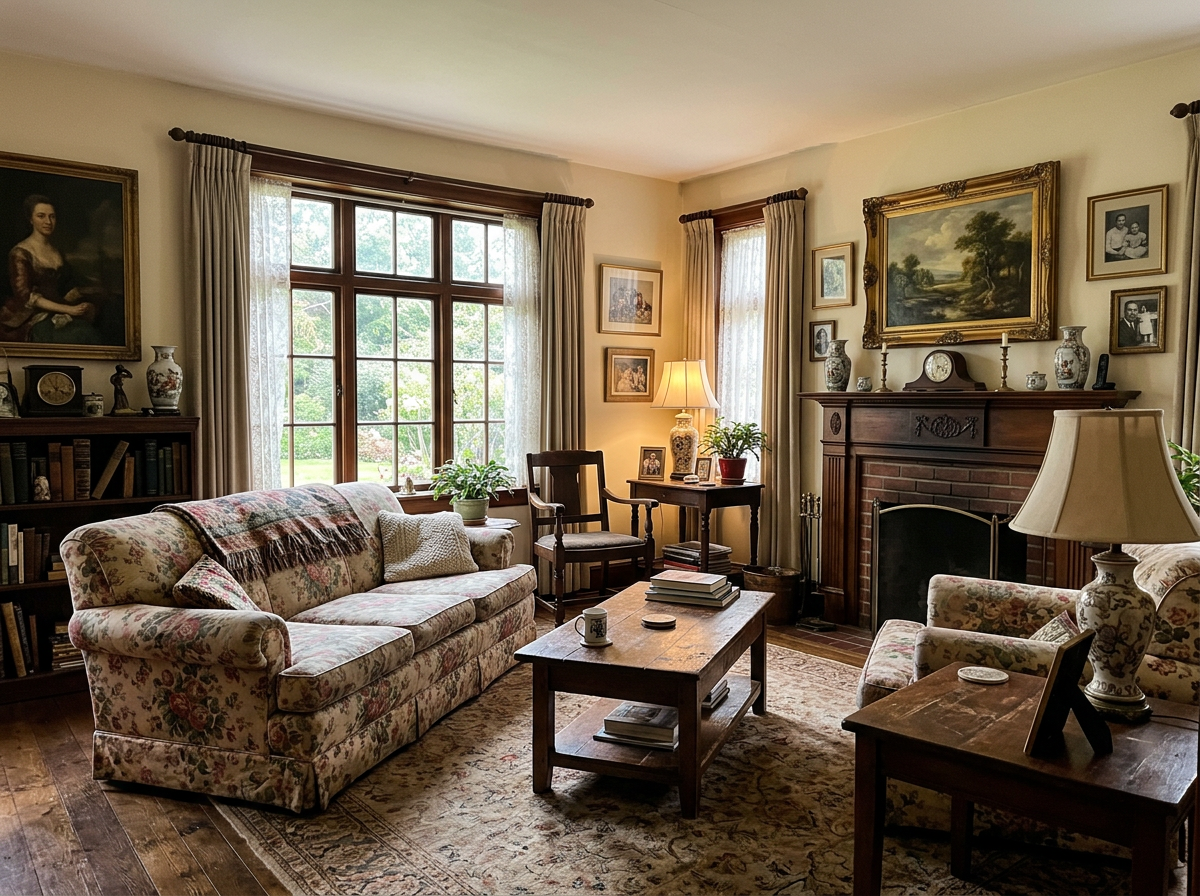
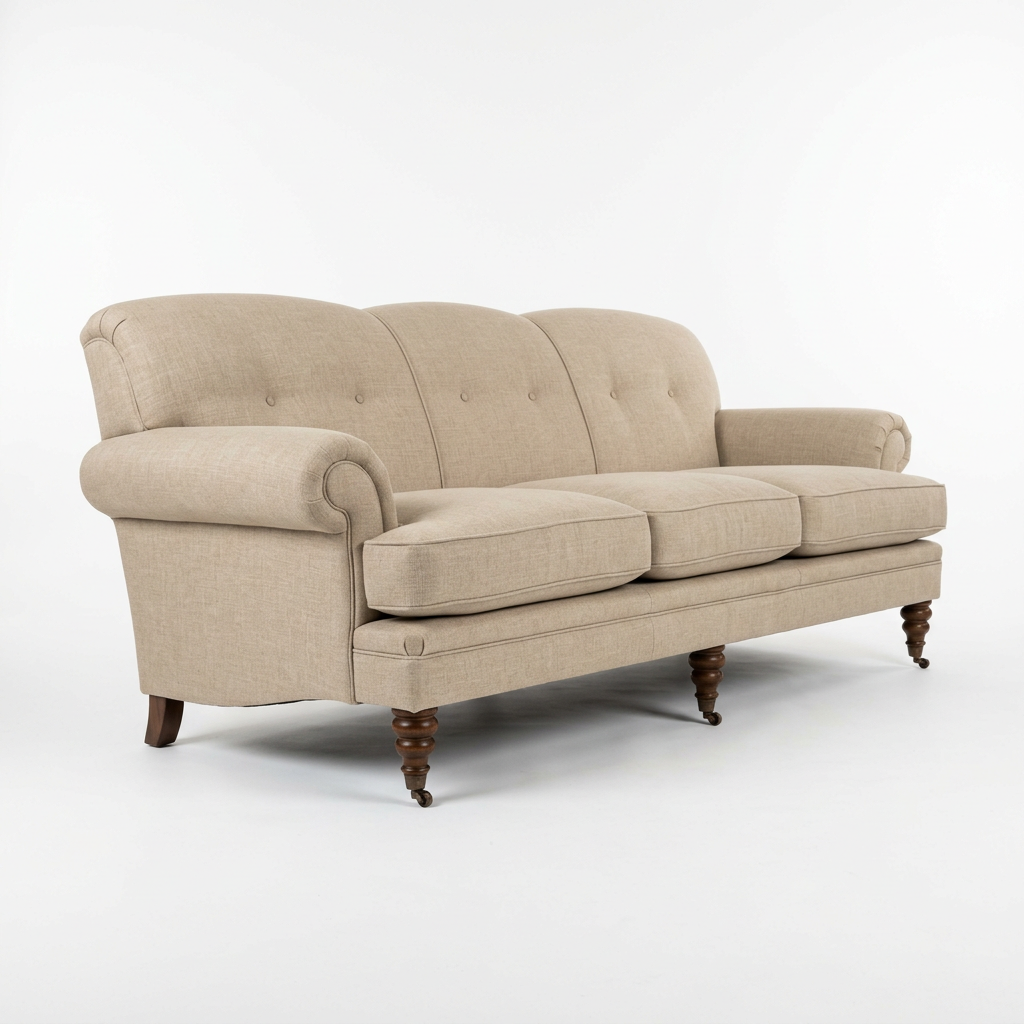
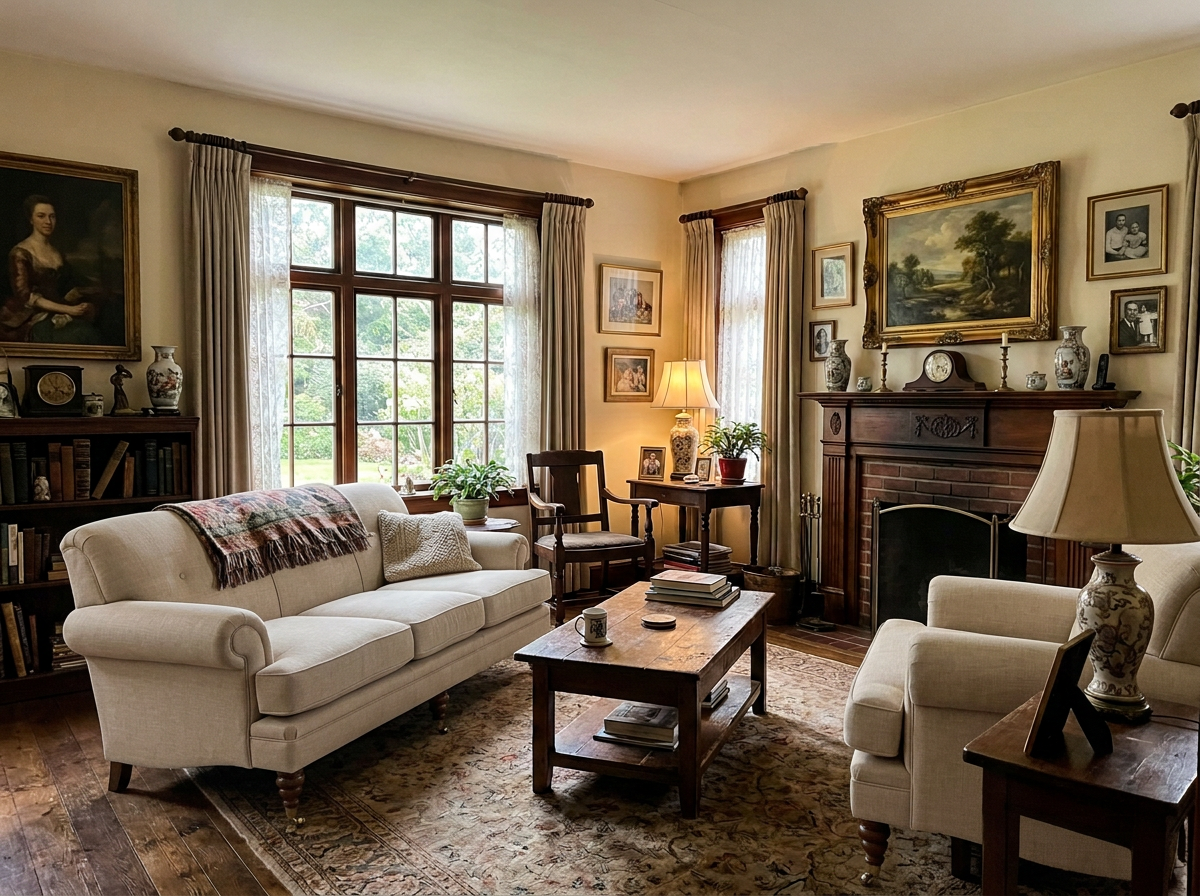
Catalog Rooms Don't Look Like Yours
Pottery Barn's catalog photography is aspirational — spacious rooms with perfect lighting and coordinated everything. Your home has its own character, dimensions, and quirks. Save the product photo, upload it with your room photo, and see how PB pieces actually look in your real-life space.
How It Works
Upload Your Room Photo
Take a photo of any room and upload it to RoomLab.
Add a Product Reference Image
Save a product photo from the brand's website — this is the piece you want in your room.
See It in Your Space
RoomLab's AI replaces the furniture in your room with the piece from your reference image.
Pottery Barn is a classic American furniture brand known for timeless, comfortable designs. Part of the Williams-Sonoma portfolio, they offer living, dining, bedroom, and outdoor furniture along with an extensive home decor collection.
Popular Products to Visualize
Why Visualize Before You Buy
Pottery Barn furniture is a significant investment in your home's look and feel. Their pieces are designed to last for years. Save the product image, upload it with your room photo, and make sure the style, scale, and color are exactly right before committing.
Frequently Asked Questions
Can I visualize Pottery Barn's leather vs. fabric sofas in my room?
Does this work for Pottery Barn Kids and Pottery Barn Teen?
Can I see seasonal Pottery Barn decor in my room?
How does this compare to Pottery Barn's room planner?
Professional Results. Fraction of the Cost.
Get photorealistic interior renders in seconds, not days. Professional-grade AI visualization with full creative control — no design skills needed.
No credit card required