Scandinavian Dining Room — Zoom In
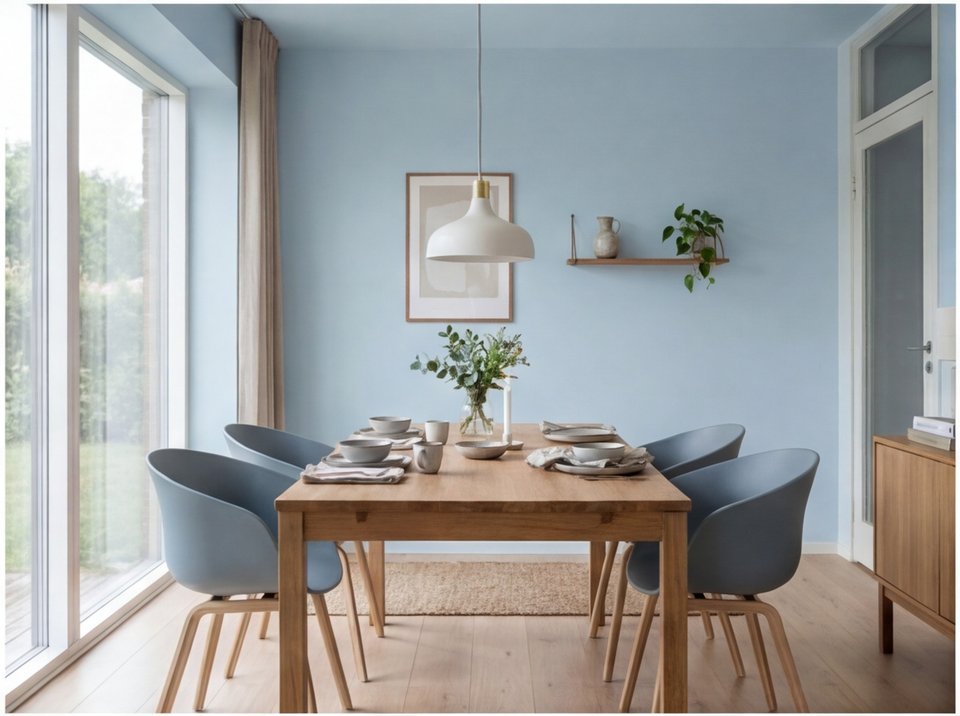
Camera Effect: Zoom InA cinematic zoom into a Scandinavian dining room highlights the minimalist design, natural wood tones, and elegant simplicity of Nordic style.
Generated with RoomLab Video Mode
Source Image
How to Recreate This
Want to create a cinematic walkthrough video like this? Follow these steps to generate stunning videos from your photos.
1
Select Mode
Choose the Video card from the mode grid.
Choose Your Mode
Stage & Style
Declutter RoomDeclutter the room by removing unwanted objects and visual mess
Empty RoomEmpty the room by removing all furniture
Change StyleChange the room style while preserving its layout
Virtual StagingVirtually stage an empty room by adding furniture
Replace Furniture & Materials
Replace FurnitureReplace selected furniture while preserving the rest of the room
Replace MaterialReplace materials on walls, floors, or other surfaces
Architectural Render
Interior Architectural RenderCreate a photorealistic interior architectural render
Exterior Architectural RenderCreate a photorealistic exterior architectural render
Custom PromptUse your own images and prompts
Wall ColorsCompare 9 wall paint colors at once
VideoGenerate a video from your room photo
2
Upload Your Room
Upload the room or exterior photo you want to animate.
Upload Your Room
3
Choose Video Effect
Select a camera movement, or choose Add Persons and write how people should behave in the room.
Camera Effect
Orbit
Zoom In
Zoom Out
Pan Left-Right
Add Persons
4
Select Duration
Choose between 5 seconds (50 credits) or 10 seconds (100 credits).
Select Duration
5 seconds
50 credits
10 seconds
100 credits
5
Generate
Click Generate Video and wait approximately 2 minutes for your cinematic walkthrough!
Generate
✓
Your Result
Ready to transform your space?
Start creating stunning interior designs with AI today.
Try Video Mode