Wall Color Variations

Step-by-step guide to generating 9 wall color variations from one room photo with AI. Compare shades side by side before painting.

Can't decide on a wall color? Wall Colors mode generates 9 different color variations of your room at once. Pick from presets or choose custom colors, and see exactly how each shade looks in your actual space.

🎨 What You'll Achieve

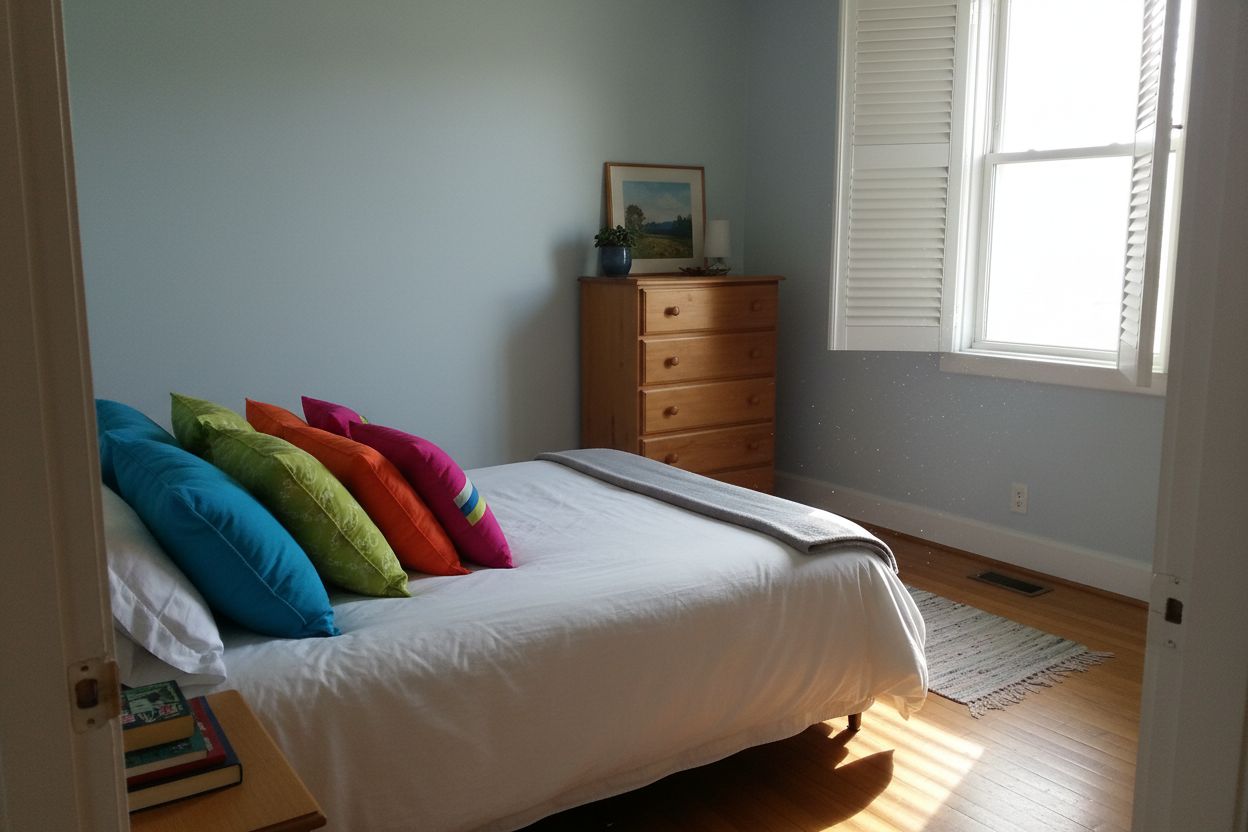
Guest bedroom with original light blue wall color Original Room
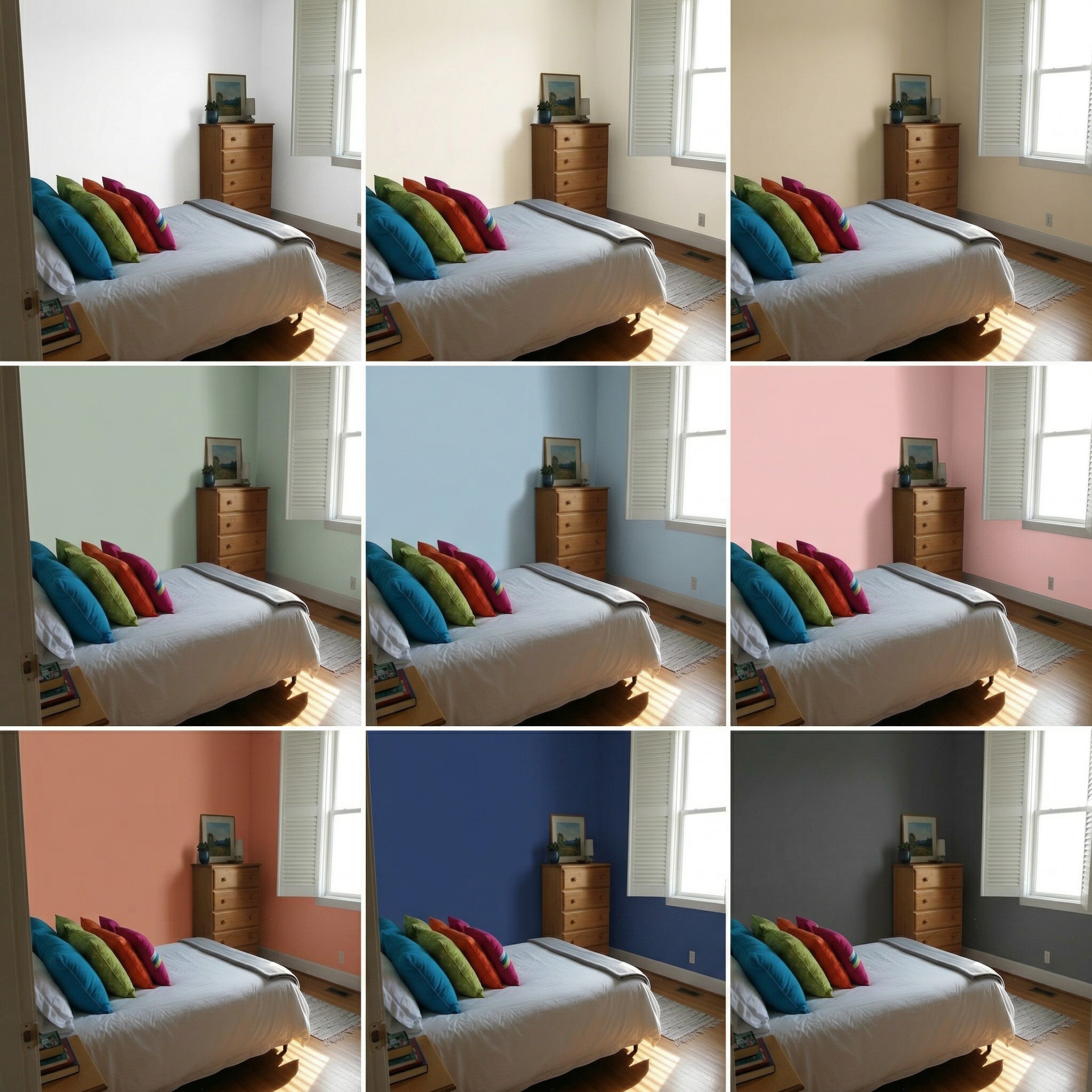
3x3 grid showing 9 wall color variations of the same bedroom 9 Color Variations!
1

Choose Your Mode

Click the Wall Colors card on the canvas grid.

📱 Mode Selection
Redesign
Clean RoomRemove clutter from room
Empty RoomRemove all furniture
Change Room DesignRestyle the room
Virtual StageAdd furniture to room
Replace
Replace FurnitureSwap specific furniture pieces
Replace TextureChange wall, floor, or surfaces
Render
Render InteriorIndoor photorealistic render
Render ExteriorOutdoor photorealistic render
Custom ModeUse your own images and prompts
Wall ColorsCompare 9 wall paint colors at once
VideoGenerate a video from your room photo
2

Upload Your Room

Upload the room photo where you want to test different wall colors.

📱 Upload Interface
Select Image
3

Pick 9 Wall Colors

Click each swatch to choose a color, or use the preset palette below. Each of the 9 slots generates one variation.

📱 Color Grid
1
#FFFFFF
2
#F5F0E8
3
#D4C5A9
4
#B8C4B8
5
#A7C4D4
6
#F2C4C4
7
#C9806B
8
#2C3E6B
9
#4A4A4A
4

Generate

Click Generate to create all 9 wall color variations. Uses 25 credits per generation.

📱 Generate

🎯 All 9 Color Variations

Each image shows the exact same room with only the wall color changed. Compare them side by side to find your perfect shade.

White walls#FFFFFF
Cream walls#F5F0E8
Beige walls#D4C5A9
Sage green walls#B8C4B8
Dusty blue walls#A7C4D4
Soft pink walls#F2C4C4
Terracotta walls#C9806B
Navy walls#2C3E6B
Charcoal walls#4A4A4A

Ready to Transform Your Space?

Start creating stunning room transformations in minutes. Sign up and try it yourself!