Generate Videos

Learn to create cinematic walkthrough videos from room photos with AI. Choose camera effects, duration, and generate smooth animations.

Turn any room or exterior photo into a smooth, cinematic walkthrough video. Choose from 5 camera effects — orbit, zoom in, zoom out, pan, or add virtual people — and select 5s or 10s duration.

✨ What You'll Achieve

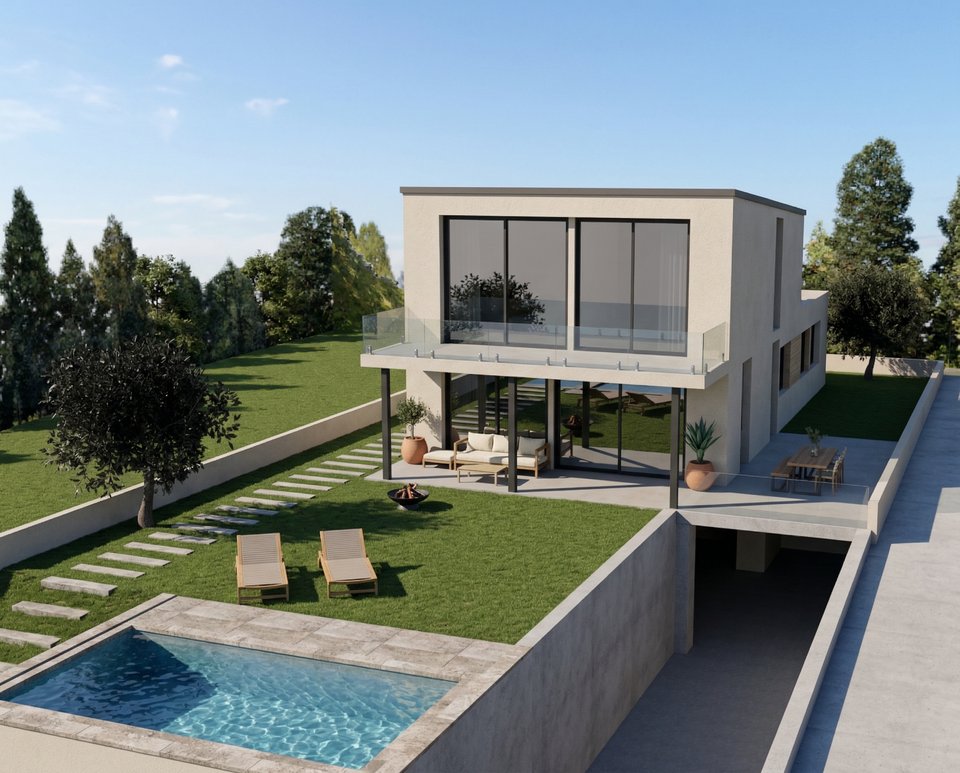
House exterior photo used for video generation Original Room
Video Result
1

Choose Your Mode

Click the Video card on the canvas grid.

📱 Mode Selection
Redesign
Clean RoomRemove clutter from room
Empty RoomRemove all furniture
Change Room DesignRestyle the room
Virtual StageAdd furniture to room
Replace
Replace FurnitureSwap specific furniture pieces
Replace TextureChange wall, floor, or surfaces
Render
Render InteriorIndoor photorealistic render
Render ExteriorOutdoor photorealistic render
Custom ModeUse your own images and prompts
Wall ColorsCompare 9 wall paint colors at once
VideoGenerate a video from your room photo
2

Upload Your Room

Click the upload area and select the room or exterior photo you want to animate.

📱 Upload Interface
Room uploaded
3

Choose Camera Effect

Select one of the 5 available camera effects for your video.

📱 Camera Effect
Orbit
Zoom In
Zoom Out
Pan Left-Right
Add Persons
4

Select Duration

Choose between 5 seconds (50 credits) or 10 seconds (100 credits).

📱 Duration
5 seconds
50 credits
10 seconds
100 credits
5

Generate

Click Generate Video and wait approximately 2 minutes for your cinematic walkthrough!

📱 Generate

🎯 Try the Result

Drag the slider to compare before and after!

Ready to Transform Your Space?

Start creating stunning room transformations in minutes. Sign up and try it yourself!