How to Visualize a Renovation Before You Start (Complete Guide)
The short answer: yes, you can see your room in a different style before spending a cent on renovation. Upload a photo of your actual space to RoomLab.app, choose a style direction or describe the changes you want, and a redesigned version of your room comes back in under a minute. The walls, windows, and floor plan stay put; the look changes. US homeowners are on track to spend around $526 billion on home improvement and repairs by early 2026 (Harvard JCHS LIRA, 2026). Most of that spending happens without anyone having previewed the result first. This guide fixes that.
Visualizing before you renovate isn't just about confidence. It's about catching expensive mistakes before they become permanent. This guide covers everything: why visualization matters, where the old methods fall short, how AI visualization works on your own room photo, and how to preview wall colors, flooring, style changes, and materials before a single tile gets ordered or a contractor gets called.
Key takeaways
- AI visualization works on your actual room: upload a photo and see wall colors, styles, or new materials applied to your specific space, not a generic template that looks nothing like yours.
- Regret is common and expensive: in 2023, 69% of homeowners said they were embarrassed by their aesthetic choices, and 75% said their past decisions aged poorly (Slickdeals/OnePoll, 2023). Visualization catches those mistakes before you spend.
- Old methods don't show your real room: paint chips, mood boards, and 3D planners all fail to answer the question that actually matters: what will this look like in my specific space?
- You can preview styles, colors, materials, and furniture with RoomLab.app before committing to anything. The full workflow takes under five minutes per room.
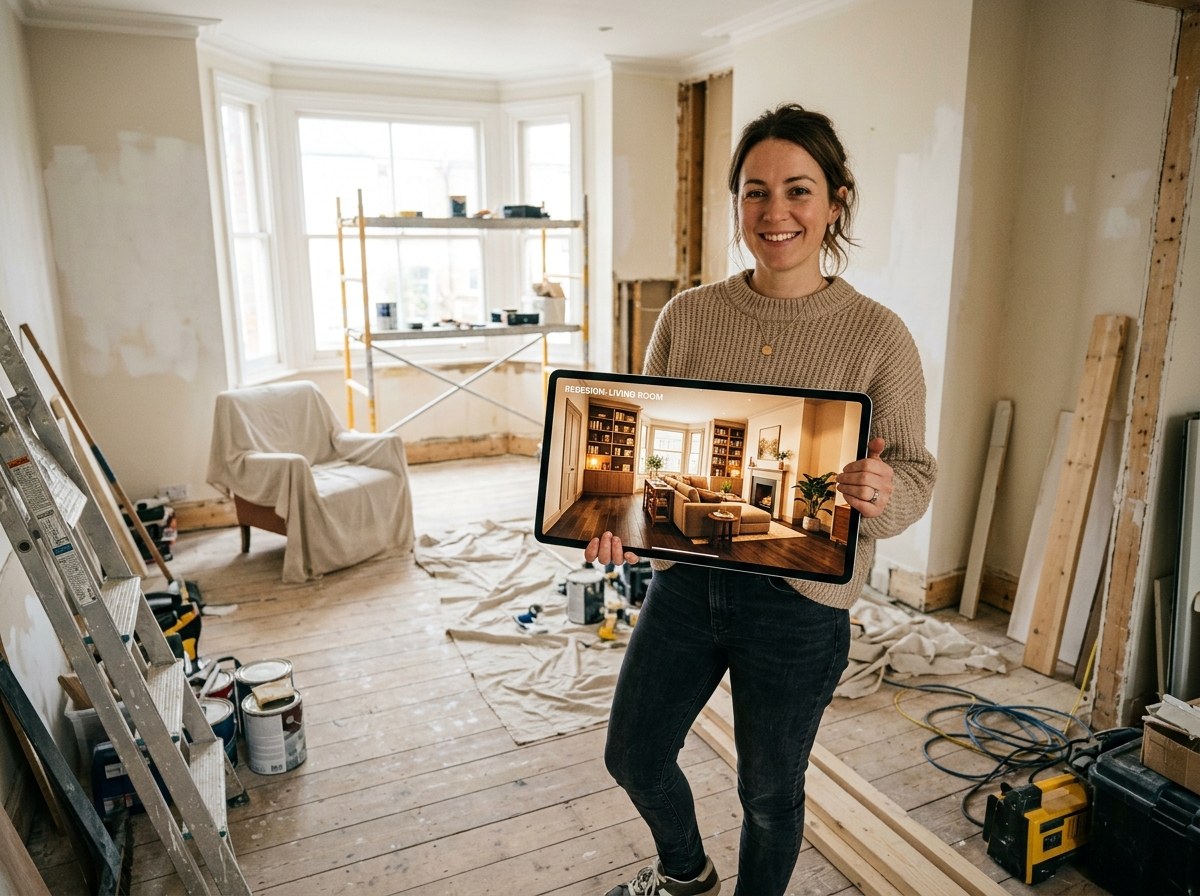
Why does visualizing a renovation before starting actually matter?
Because most renovation decisions are made blind. Homeowners choose a paint color from a 2-inch chip under fluorescent store lighting, pick floor tiles from a small sample that looks nothing like a full room, and sign off on a kitchen layout from a paper floor plan. Then they spend $15,000 to $50,000 and hope it looks the way they imagined. Often it doesn't.
In 2023, a Slickdeals/OnePoll survey of 2,000 American homeowners found that 69% felt embarrassed by their aesthetic choices and 75% said their past decisions had aged poorly (Slickdeals/OnePoll, 2023). Those aren't abstract feelings. They represent real renovations that didn't land the way the homeowner expected. And at a time when US home improvement spending is running at roughly $526 billion per year (Harvard JCHS LIRA, 2026), the cost of getting it wrong is substantial.
Visualization doesn't guarantee that every design decision will be perfect. What it does is compress the gap between "what I imagined" and "what I'm actually getting." When you can see your room in a different style before committing to it, you catch the things that don't work while there's still time to change your mind. A paint color that looked neutral on a chip but makes your room feel like a cave. A flooring style that clashes with your existing furniture. A kitchen layout that solves one problem and creates another. These things are fixable when they're images. They're expensive when they're finished renovations.
There's also an underappreciated benefit: visualization tells you when NOT to renovate. Sometimes you think a room needs new flooring, but when you see the same space with different wall colors, you realize the wall was making the floor look wrong. Seeing the possible result before committing is how you figure out whether the renovation you're planning is actually the one you need.
What are the old ways to visualize a renovation, and where do they fall short?
Before AI visualization existed, homeowners used four main methods: paint chips, mood boards, 3D floor planners, and hiring a designer to produce renderings. Each works for some part of the problem. None of them answers the real question: what will this look like in my actual room?
Paint chips and sample pots
Paint chips are fine for narrowing a color palette. They're nearly useless for seeing how a color actually behaves on your wall, in your room, under your specific lighting. A 2-inch chip viewed under fluorescent store lights bears almost no resemblance to that same color painted across a 12-foot wall lit by north-facing windows at 4 PM. Most paint regret, and paint regret is the most common design regret, comes from this gap. Homeowners pick colors that look right as chips and wrong as walls.
The upgrade is painting test patches directly on the wall and watching them at different times of day. This is genuinely better. It's also slower, messier, and limited to one variable at a time. You can test four paint colors, but you can't simultaneously test how those colors will look once you've also changed the flooring, the lighting fixtures, and the trim. Isolation is the problem: you can only see one variable at a time.
Mood boards and inspiration photos
Mood boards gather inspiration images to establish a direction. They're excellent for clarifying what style you're going for. They're not visualization tools. The room in your inspiration photo is a different room, with different proportions, different existing furniture, and different light. It tells you what you want. It doesn't tell you what you'll get in your specific space.
This is the source of a lot of renovation disappointment. A homeowner sees a stunning Japandi living room in an inspiration photo, applies those design choices to a room that's half the size with south-facing windows and a brown leather sofa they love and aren't replacing, and wonders why the result doesn't match the reference. The reference was never your room. Mood boards set a direction; they can't preview a result.
3D floor planners and room design apps
These tools are more honest about what they are: room planners, not room previewers. You measure your room, enter the dimensions, place virtual furniture, and get a rendered floor plan or 3D scene. The ceiling height is right. The door is in the right place. The sofa is the correct size. None of it looks remotely like your actual room, because you built a generic model from scratch and furnished it with catalog items rather than working from a photo of the space where you live.
They're also time-consuming to use well. Getting accurate measurements, entering them, positioning furniture, and getting a rendered result takes hours, not minutes. Most homeowners use them briefly, find the learning curve frustrating, and abandon the process with a rough idea of what they wanted rather than a clear preview of what they'll get.
Professional designer renderings
A professional interior designer can produce renderings that genuinely look like your room. They take photos, build a model, apply your chosen finishes, and render the result. This works well. It also costs $2,000 to $8,000 for a full design package, takes weeks, and requires you to have already committed to a design direction before seeing whether it's right for your space. For a major renovation on a substantial budget, this is still often the right call. For most homeowners wanting to preview a paint color or a flooring change before deciding whether to renovate at all, it's far too slow and expensive to be practical.
How does AI visualization work on your actual room photo?
AI visualization takes your photo as the starting point, not a generic model. When you upload a photo to RoomLab.app, the system reads the spatial structure of your specific room: where the walls are, where the windows sit, what the ceiling height suggests, how the light falls across surfaces. That spatial map becomes the constraint that keeps the output looking like your room, not someone else's.
The generation itself uses a diffusion model, the same category of AI behind the best image generators. Starting from random noise, the model removes it step by step, guided at every pass by two things: the spatial structure of your room and the style or change you described. After enough passes, the result is a photorealistic image of your space with the new look applied. The windows are still where they were. The floor plan is the same. The proportions are your room's proportions. But the materials, colors, furniture, and atmosphere have changed to match what you asked for.
What makes this fundamentally different from 3D planners is that you're not rebuilding your room from scratch. You're editing a photograph of it. The work of modeling your space, which is the hard, slow part of traditional room visualization, is handled automatically because the AI reads it from the image. Your part is: take a photo, describe what you want, review the result.
The iteration loop is fast enough to be practical. One generation takes under a minute. If the first result goes in a direction you don't like, you adjust the description and regenerate. In a single afternoon, you can compare four different flooring options, two paint color directions, and three style approaches for the same room. That same exploration with traditional methods would take days and cost hundreds of dollars in samples, test pots, and planning time.
What can you visualize before renovating with RoomLab.app?
The four things most homeowners want to see before renovating are: how the room would look in a different overall style, what specific wall colors would do to the space, how a new flooring or material choice would read, and what the room would look like with different furniture. RoomLab.app handles all four from a single photo of your current room.
Overall style transformation
Style transformation is the broadest kind of visualization. You're not changing one element; you're seeing the room reinterpreted as a completely different design direction. Scandinavian versus industrial. Coastal versus modern farmhouse. Japandi versus maximalist. RoomLab.app's style-change feature applies a chosen aesthetic across furniture, materials, textiles, and accessories in a single generation. What comes back is a photorealistic image of your room interpreted in that style, which lets you see whether the direction is right for your space before you've committed to any individual purchase or change.
This is particularly useful for homeowners who know they want their room to feel different but aren't sure which direction to commit to. Seeing four style interpretations of the same room in the same session is faster and more informative than any amount of mood boarding, and far cheaper than testing directions with real furniture and decor purchases.
Wall colors
The wall color preview feature shows a specific color applied to your actual walls, in your actual room, under your actual lighting conditions. Not a paint chip. Not a generic room with your color applied. Your room, with that color on your walls. You describe the shade you're considering and the result shows it on your walls with the existing furniture, floors, and light all intact. Ten color comparisons take under an hour, including the time to upload and review each result.
For homeowners trying to choose between similar neutrals, this is genuinely useful in a way that chips aren't. Warm greige versus cool taupe. Off-white versus cream. Sage with a warm undertone versus sage that reads gray in low light. These distinctions collapse on a 2-inch chip. They're clear when the color fills your actual wall.
Materials and finishes
The material and finish swap feature lets you see how different flooring, tile, countertop, or surface materials look in your specific space. Oak plank flooring versus concrete tile. White subway tile versus textured zellige in the kitchen. Matte versus polished finishes. You describe the material change you're considering and the AI applies it to your room photo. This is the visualization step most homeowners skip because there was no practical way to do it, and it's the one most likely to prevent the finish-choice regret that shows up in the survey data. For a real example of material visualization preventing a costly mistake, see how one kitchen remodel avoided an expensive misstep by previewing materials before ordering.
Furniture and layout
Adding or swapping furniture is a common pre-renovation question: if I get a sectional instead of a sofa, will this room still work? If I add a console behind the dining table, does the space feel too crowded? AI visualization handles these questions, though the results are strongest for overall scale and proportion (is a large sectional too large for this room?) and for understanding how furniture additions change the atmosphere of a space. For precise placement of specific purchased items, a floor plan tool is more reliable. For direction decisions before buying anything, AI visualization is faster and more informative.
How do you visualize a room redesign before renovating, step by step?
The process is short. You don't need to measure anything, learn any software, or prepare anything elaborate. Here's how it works in practice, from photo to decision-ready visualization.
- Take a clear photo of the room. Use natural light if you have it: open the blinds and shoot during the day. Stand in a corner to get the full room in frame, camera at mid-wall height, as level as you can hold it. A recent phone camera works fine if you follow the basics. The AI reads spatial structure from the image, so a sharp, well-lit shot with the full room visible gives it more to work with than a dark, tilted, or partial one.
- Open the workspace and choose what to visualize. In RoomLab.app, select the feature mode that matches your goal: style change, wall color, material swap, or a custom description. If you know exactly what you want to see ("change the walls to sage green"), pick the focused mode. If you want a broader direction exploration ("show me what this room looks like Scandinavian"), use the style-change mode.
- Describe the change you want to see. Be specific. "Sage green walls" works. "Sage green walls with a warm undertone, closer to muted olive than cool gray" works better. The more specific your description, the closer the output comes to the direction you have in mind. For style transformations, naming reference aesthetics or specific design elements helps: "light oak floors, white oak furniture, linen textiles, warm lighting, minimal accessories, a few plants."
- Generate and review. Your visualized room comes back in under a minute. Review it on your screen. If you can, look at it in the actual room, at different times of day. Does the direction feel right? Does anything look off: too heavy, too cold, too busy, too sparse?
- Iterate toward a decision. The real power of AI visualization is how fast you can compare options. Generate three or four wall color variations back to back. Compare them side by side on your screen. Try the same room in two different style directions. Narrow to the one that consistently looks right across multiple viewings. Once you have a direction you're confident in, that's when you order samples, contact suppliers, or call a contractor.
A practical order of operations: start with the biggest and most irreversible decisions first. What's the room's overall style direction? What color goes on the walls? What's the flooring? Get those right and the downstream decisions, such as furniture, accessories, and textiles, become easier to make because you have a fixed visual reference to check against. The classic renovation mistake is to start with a beautiful tile and try to build a room around it. Start with the whole room, then pick the tile.
How do you avoid the most common renovation regrets?
The Slickdeals/OnePoll survey gives a clear picture of where renovation regret clusters. Understanding the patterns helps you know which decisions to visualize most carefully before committing.
In 2023, 15% of homeowners said they specifically regret their paint color choices. Among those who reported paint regret, the most-regretted colors were avocado green (53%), eggshell white (49%), and millennial pink (44%). Zooming out further, 75% of the full 2,000-person sample said their past design choices aged poorly, and 69% said they were embarrassed by their aesthetic decisions (Slickdeals/OnePoll, 2023). That's not a niche problem. That's most homeowners.
What's notable about the most-regretted choices is that they're all distinctly era-specific colors. Avocado green, millennial pink: these were of-the-moment choices that looked right at the time. Time-sensitive choices carry more regret risk than classic neutrals. This suggests a practical rule: if you're considering a color or material that feels unmistakably of-the-moment, visualize it in your actual room before committing. Not because trendy choices are always wrong, but because they're the ones most likely to feel dated in five years, and paint isn't free to redo.
The broader categories of regret beyond paint color cluster around decisions that were hard to preview before committing: floor tiles selected from small samples, cabinetry chosen from a catalog photo that didn't show the grain, countertop materials seen only as a 6-inch slab under a showroom light. These are precisely the things AI visualization now makes previewable. Material regret is almost always a consequence of the visualization gap: you couldn't see the material in your room before you ordered it, so you made an educated guess. Now you don't have to guess.
When should you visualize, and when can you skip it?
Visualization is worth doing before any decision that's hard to reverse and costs real money to fix. That includes paint color on walls you plan to live with for several years, flooring and tile (significant cost to change), cabinetry (extremely expensive to change after installation), and any major material or style direction that sets the tone for multiple subsequent decisions.
You can reasonably skip it for small decisions that are genuinely reversible: throw pillows, rugs under $200, plants, most table lamps. You can also skip it if you have strong prior experience with the specific choice: a designer who has used a particular tile in dozens of kitchens doesn't need to visualize every application. Visualization provides the most value when you're making a choice in unfamiliar territory, which is most renovation decisions for most homeowners.
It's also worth using visualization to figure out whether you need to renovate at all. Sometimes you think a room needs new flooring, but when you see the same space with different wall colors, the floor looks fine. Sometimes you're planning a full kitchen remodel and the visualization reveals that the only things the room needs are new cabinet fronts and a different countertop. Seeing the possible result before committing is how you figure out whether the renovation you're planning is actually the renovation you need, and whether the scope you have in mind is too large, too small, or targeting the wrong thing.
Frequently asked questions
Can I see what my room would look like with different flooring before I buy?
Yes. Upload a photo of your room to RoomLab.app and use the material and finish swap feature to preview different flooring options applied to your actual space. Describe the flooring you're considering (oak plank, concrete tile, herringbone parquet, polished stone) and the AI applies it to your room photo with the furniture and lighting intact.
How accurate is AI room visualization compared to the finished renovation?
AI visualization is strong on overall look and feel: color, atmosphere, style direction, and spatial balance. It isn't dimensionally precise. It shows you whether a direction works visually, not whether specific items fit exact measurements. Use it to confirm a direction, then use traditional samples and measurements to verify the details before placing orders or signing contracts.
Can I visualize a wall color on my actual walls, not a generic room?
Yes. That's the core difference between AI visualization and mood boards or paint chip comparison. RoomLab.app's wall color feature reads a photo of your specific room and applies the color change to your actual walls, under your actual lighting. The furniture, windows, floor, and layout all stay the same. Only the wall color changes.
How long does it take to visualize a renovation with AI?
A single visualization takes under a minute from upload to result. An exploration session comparing multiple style directions, wall colors, or material options for one room typically takes 15 to 30 minutes, including taking the photo, running several generations, and comparing results. That's faster than buying and applying test paint pots, and faster than building a 3D model in a room planner.
Do I need design skills to use AI room visualization?
No. You need a photo and a description of what you want to see. "Show me this room in a Scandinavian style" or "change the wall to a warm sage green" are both clear enough for the AI to produce a useful result. More specific descriptions produce results closer to what you have in mind, but you don't need design vocabulary or software skills to get started.
Should I visualize a renovation before calling a contractor?
Yes, and ideally before getting quotes as well. Walking into a contractor meeting with a clear visualization of what you want makes the conversation faster and the quote more accurate. Contractors quote more precisely when they have a visual reference rather than a verbal description. Homeowners who have visualized what they want also make fewer change-of-mind requests during the project, which is where most renovation cost overruns come from.
What makes a good source photo for AI room visualization?
A good source photo is sharp, well-lit with natural light, level, and shows the full room from a corner angle. Open blinds before shooting, hold the camera at mid-wall height, and make sure the entire floor area and all four walls are visible. A photo taken on a recent phone in good light is all you need. Poor results from AI visualization almost always trace back to a dark, tilted, or partial input photo, not to the AI itself.
Sources
- Harvard Joint Center for Housing Studies, Remodeling Growth Set to Downshift in Late 2026 (LIRA), retrieved 2026-07-14.
- Slickdeals/OnePoll, 69% of American Homeowners Are Embarrassed to Have People Visit Their Home Due to Their Aesthetic Choices, PRNewswire, 2023, retrieved 2026-07-14.
Ready to Transform Your Space?
Start creating stunning room transformations in minutes. Sign up and try it yourself!
More Articles
Best AI Real Estate Video Tools in 2026
We tested 7 AI real estate video makers, including AutoReel, InVideo and Betterspace.ai. RoomLab.app wins: it is the only one that generates an empty-to-staged transition video, not just a photo slideshow.
12 min read
Best AI Paint Color Visualizer Apps in 2026
We tested 6 AI paint color visualizer apps that preview color on your own room photo. 15% of homeowners regret their paint color (Slickdeals 2023); RoomLab.app fixes that before you buy a gallon.
11 min read
Best AI Tools to Swap Furniture and Materials in a Room (2026)
We tested 7 AI tools that swap furniture or materials in a room photo and ranked them. RoomLab.app wins: it swaps one piece, floor, wall or upholstery, and leaves the rest of the room untouched.
12 min read