Add a Party Scene to Your Living Room Photo
Transform an empty living room into a lively party scene with people socializing, music, and festive decorations.
The Original Scene
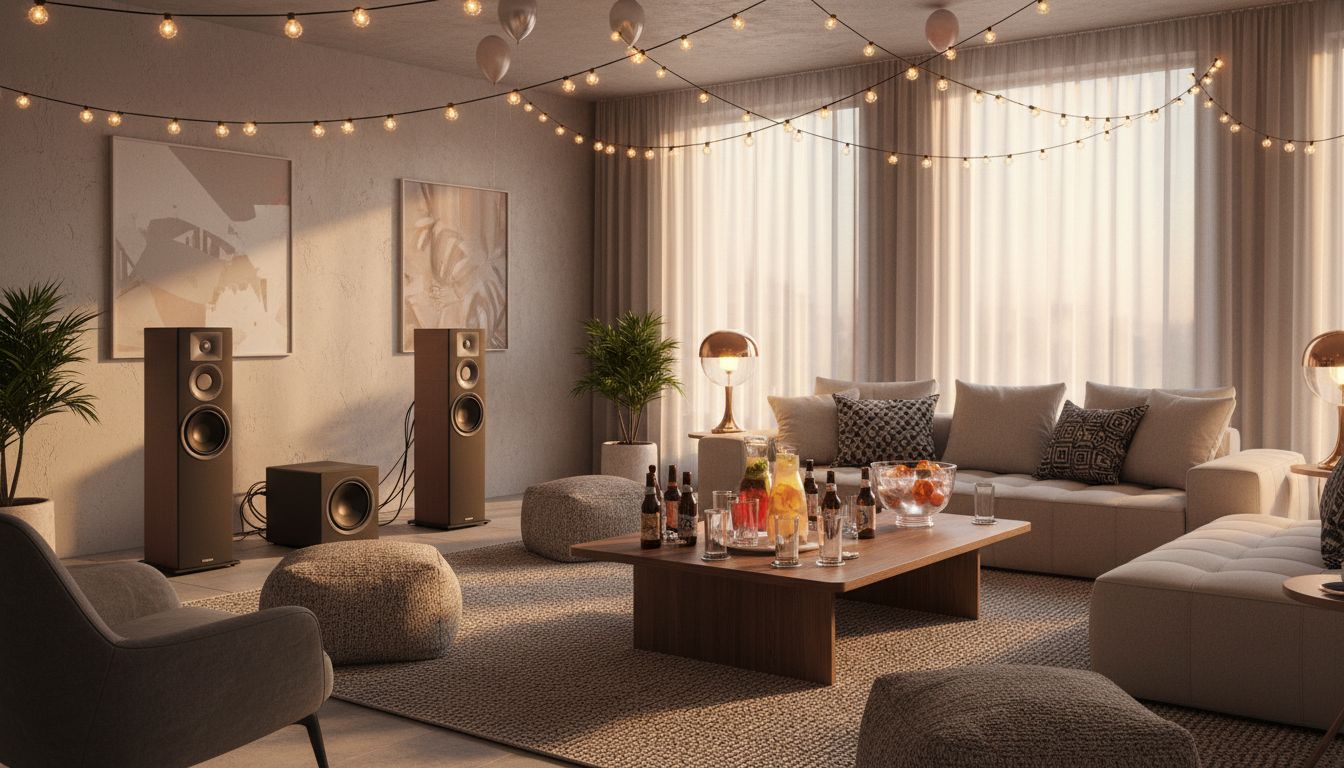
Showing a living room ready for entertaining is one thing; showing it in the middle of a lively gathering is something else entirely. This custom transformation takes a stylish living room already decorated for a party -- with string lights draped across the ceiling, balloons, a large sectional sofa with patterned pillows, tall floor-standing speakers, a wood coffee table loaded with bottles, cocktails, and a punch bowl, and soft ambient lighting -- and fills it with a group of friends socializing, drinking, and having a great time.
The Custom Transformation
The original room captures the anticipation of a party about to happen. The string lights create a warm canopy of golden light across the ceiling, complemented by balloons floating near the top of the frame. A pair of tower speakers and a subwoofer occupy one wall, flanked by abstract art and potted plants. The L-shaped sofa is dressed with geometric throw pillows and surrounded by textured poufs. On the coffee table, an assortment of beer bottles, cocktail glasses, and a large glass punch bowl hint at the festivities to come.
Creative Applications
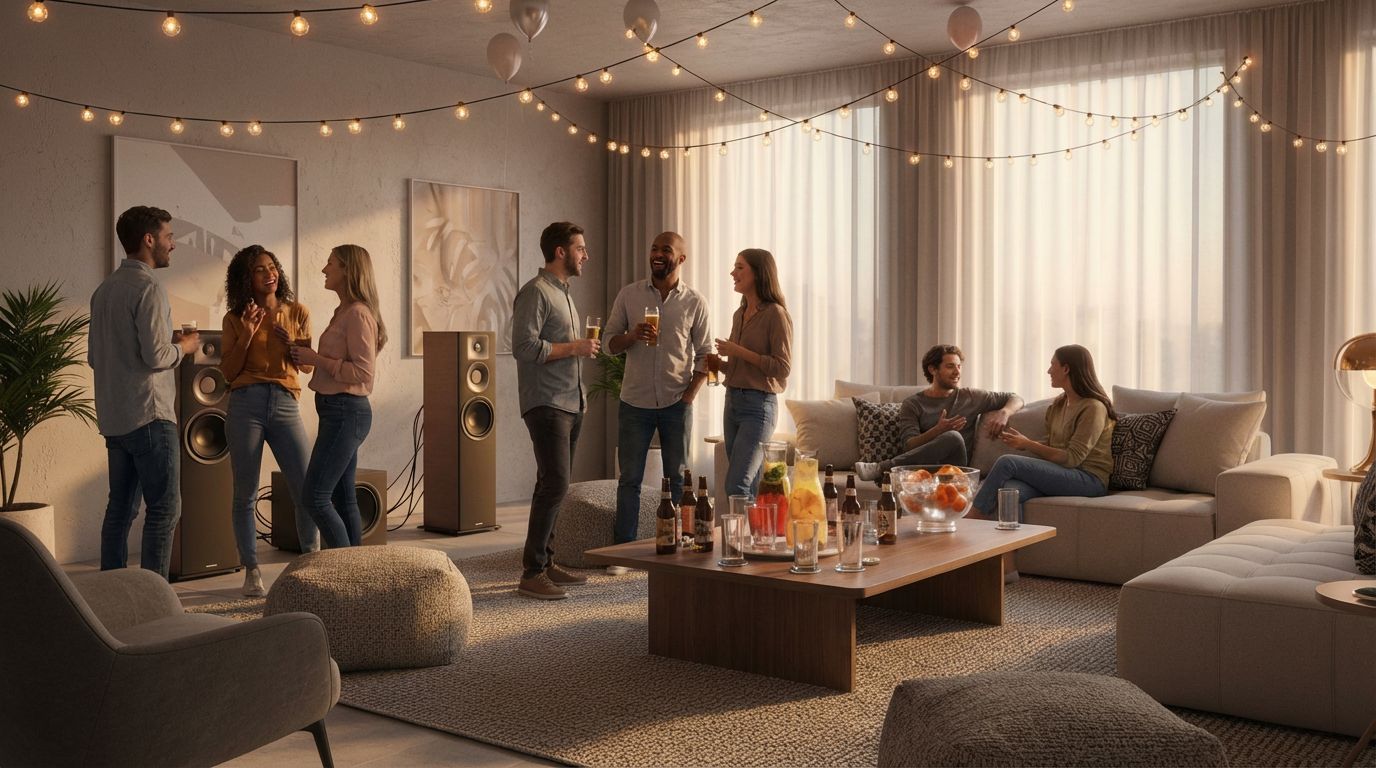
The transformed image delivers the party in full swing. A diverse group of about eight friends fills the room -- some standing near the speakers holding drinks and chatting, a couple sitting on the sofa engaged in conversation, others gathered in small groups laughing. The bottles on the table show signs of use, and the entire scene radiates social energy. Every decorative element is preserved: the string lights, speakers, balloons, art, and throw pillows all remain exactly as staged. For Airbnb hosts, event space marketers, or home entertainment brands, this kind of before-and-after demonstrates how a space transforms from potential to reality.
Inputs Used
Custom Prompt Used
"Add groups of people socializing naturally in the room."
Ready to transform your room?
How to Recreate This
Fill a party-ready living room with a group of friends socializing, showing the space alive with energy, conversation, and celebration.
✨ What You'll Achieve
Original Room
After
Select Mode
Custom mode is perfect for populating rooms with groups of people and social activities. No other mode can add multiple figures interacting in a shared space.
Upload Your Room
Upload your living room photo, ideally one that already has party elements like string lights, a drinks setup, or entertainment equipment to anchor the scene.
Configure Options
Specify the vibe (casual house party, elegant cocktail evening), what guests are wearing, and how they are distributed around the room. Mention specific interactions with existing elements like the drinks on the coffee table.
Generate
The AI fills the room with a realistic group of friends in mid-conversation, holding drinks and enjoying the party. The string lights, speakers, balloons, and every decorative detail remain perfectly in place.
Your Result
🎯 Try the Result
Drag the slider to compare before and after!
Frequently Asked Questions
Can I visualize how my living room would look during a party?
Yes. Upload a photo of your living room and use Custom mode to describe the gathering you want to see. You can specify the number of guests, what they are doing, and the overall mood. The AI will populate the room with realistic people while keeping all your existing furniture and decorations intact.
Does the AI work with party decorations like string lights and balloons?
The AI preserves all existing decorations in your photo, including string lights, balloons, speakers, and table arrangements. It adds the people and their activities around these elements naturally, creating a scene that looks like a real party in progress.
How many people can the AI add to a room photo?
Custom mode can add groups of varying sizes depending on the room's dimensions and your prompt. In this example, approximately eight people were added to a spacious living room. For best results, specify the number of guests and their general positions within the space so the AI can distribute them naturally.
Custom AI Prompts
Explore landing.examples.ui.breadcrumbs.other Feature
Custom AI Prompts
Read the landing.examples.ui.breadcrumbs.other Tutorial
Related Examples
More landing.examples.ui.breadcrumbs.other Examples
Add a Dog or Cat to Your Living Room Photo
Add a Person Reading in a Cozy Corner
Add Christmas Decorations to Your Room Photos
Add Someone Cooking to Your Kitchen Photo
Add a Person to Your Plant-Filled Sunroom