Preview Amazon Furniture in Your Actual Room
Stop relying on product photos alone. Save the product image from Amazon, upload it with your room photo, and see how it fits your space before you order.
See How It Works
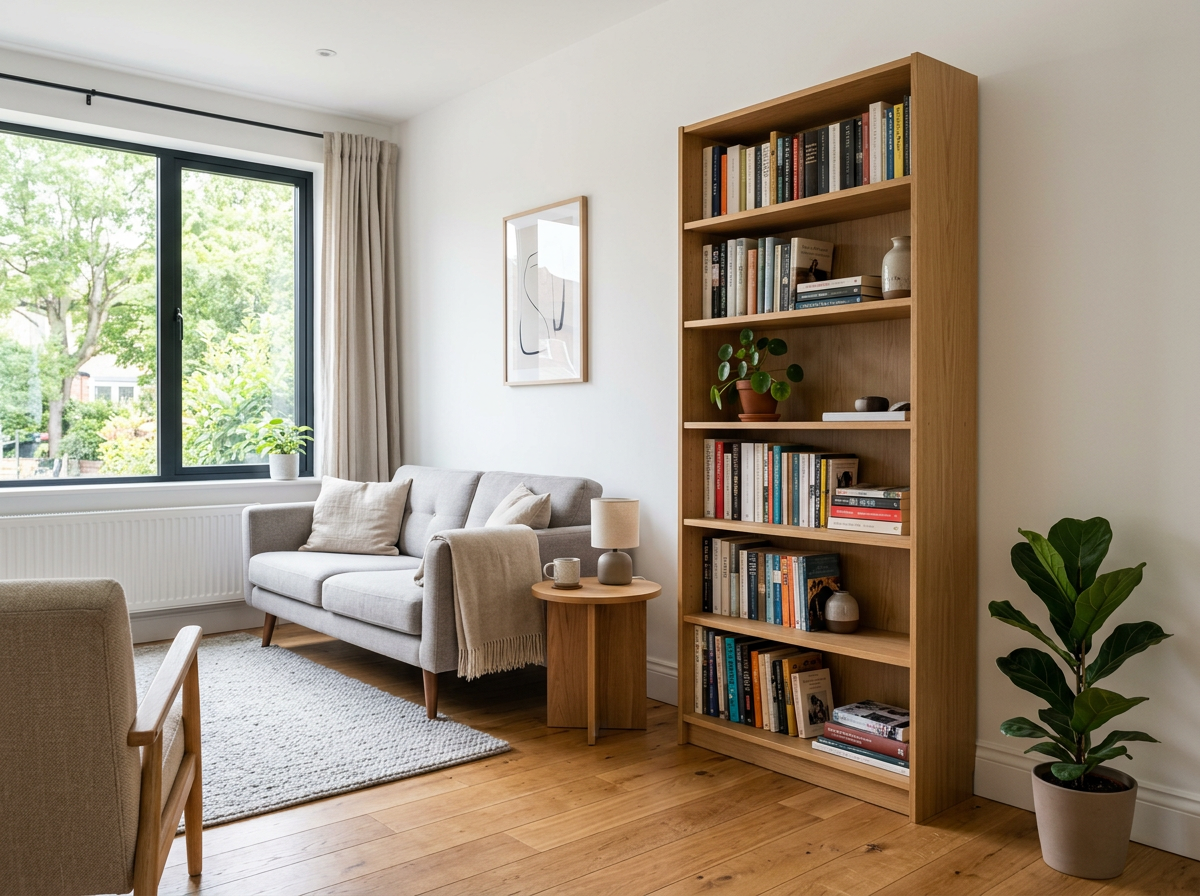
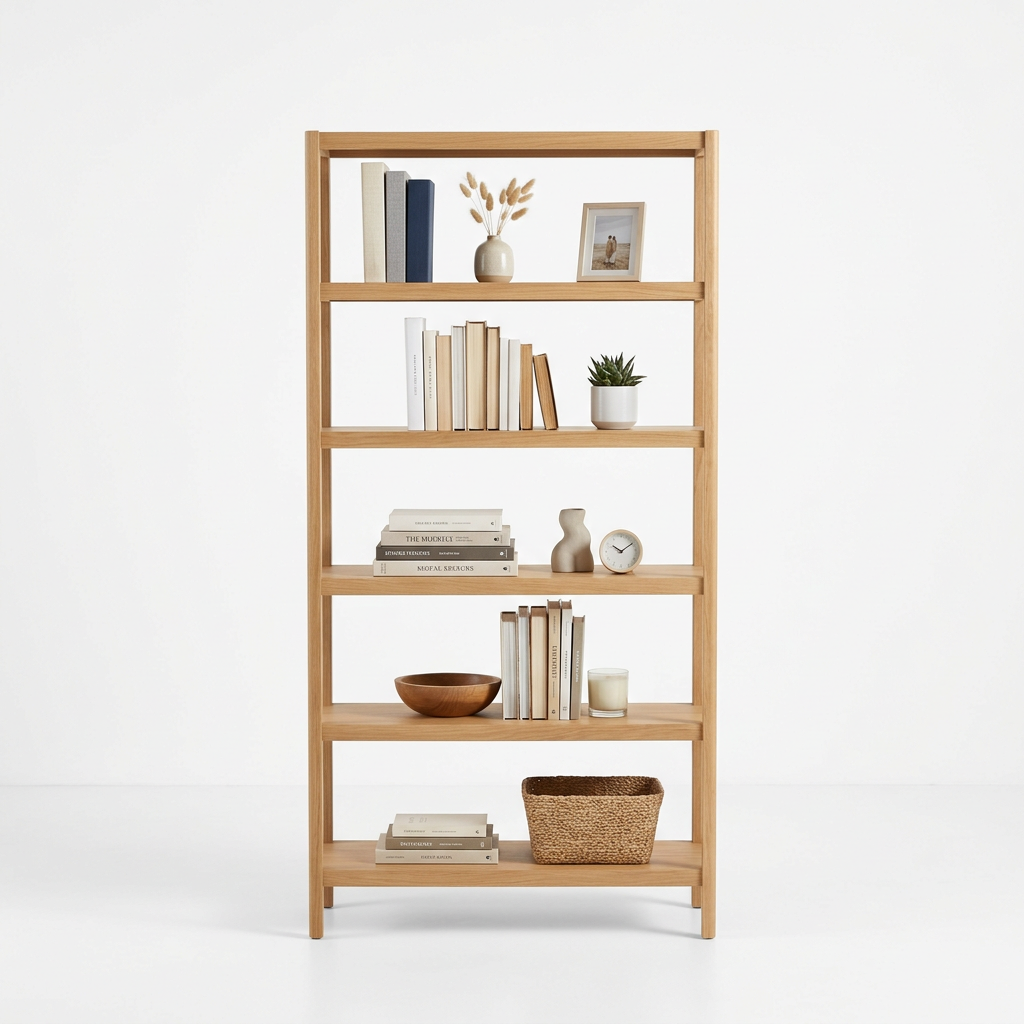
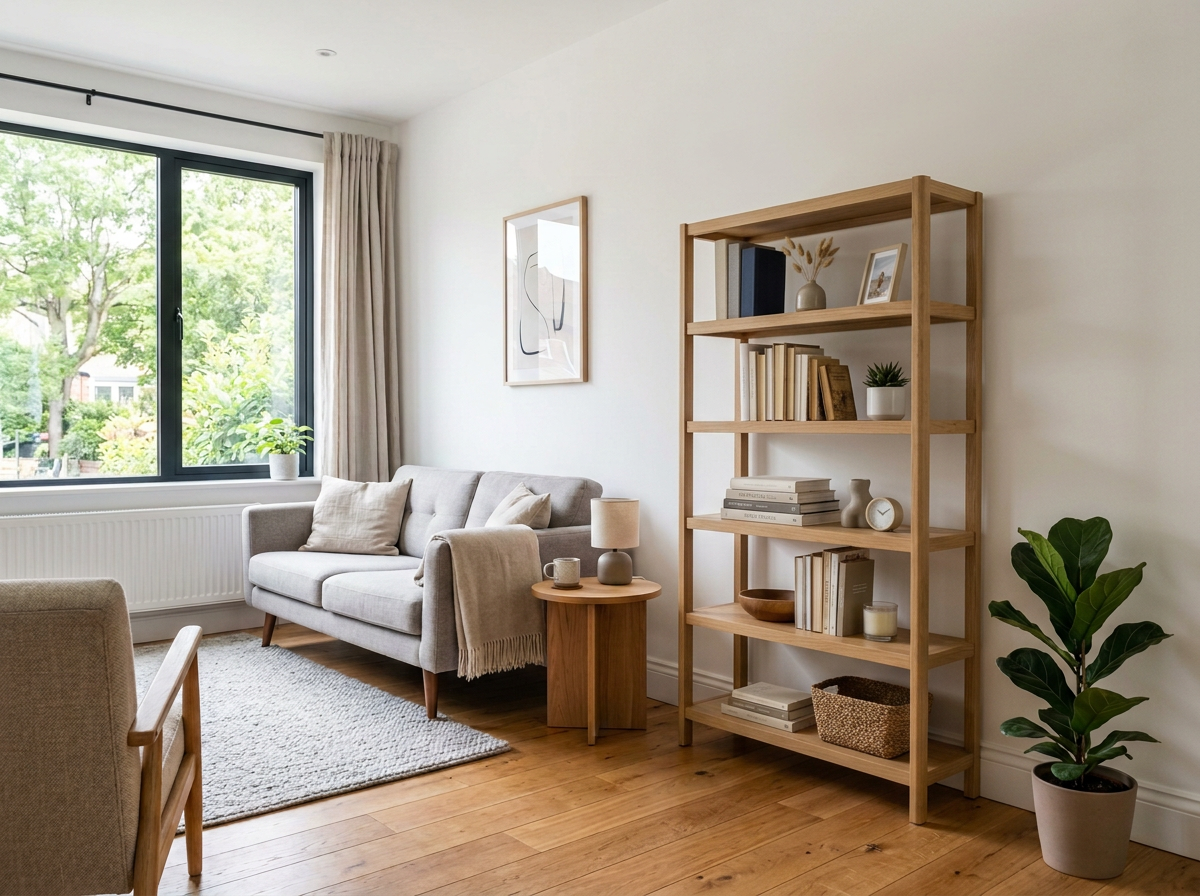
Product Photos Don't Tell the Whole Story
Amazon product photos are shot in staged settings that look nothing like your home. That sofa looks great on a white background, but will it work with your wall color and existing furniture? With RoomLab, save the product image from Amazon and upload it alongside your room photo to see exactly how it looks in your actual space.
How It Works
Upload Your Room Photo
Take a photo of any room and upload it to RoomLab.
Add a Product Reference Image
Save a product photo from the brand's website — this is the piece you want in your room.
See It in Your Space
RoomLab's AI replaces the furniture in your room with the piece from your reference image.
Amazon offers one of the largest furniture selections online, from budget-friendly Amazon Basics to their curated brands like Rivet (mid-century modern) and Stone & Beam (classic comfort). With thousands of options, choosing the right piece is the real challenge.
Popular Products to Visualize
Why Visualize Before You Buy
With thousands of furniture options on Amazon, returns are costly and time-consuming. Save the product photo, upload it with your room photo, and see if that accent chair or TV stand actually works in your space — before repackaging a 50-pound item.
Frequently Asked Questions
Can I visualize furniture from any Amazon brand?
How does this help reduce Amazon furniture returns?
Can I compare multiple Amazon products side by side?
Does RoomLab pull images directly from Amazon?
Professional Results. Fraction of the Cost.
Get photorealistic interior renders in seconds, not days. Professional-grade AI visualization with full creative control — no design skills needed.
No credit card required